
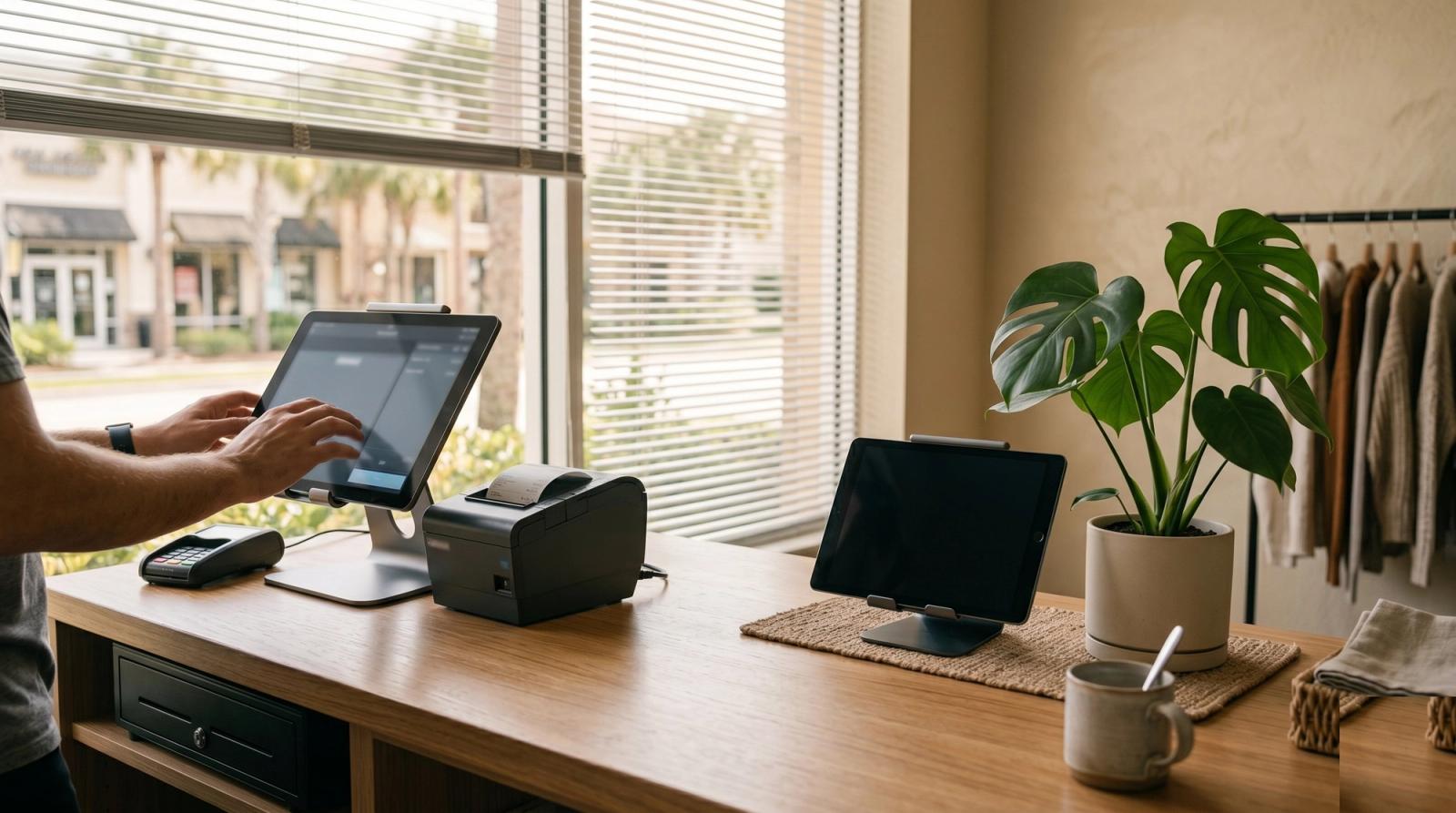
A boutique off Park Avenue in Winter Park called us on a Saturday morning in June. The checkout tablet had stopped talking to the receipt printer, the card reader was flashing an error code nobody recognized, and six people were standing in line holding sweaters they wanted to buy. The owner was writing card numbers on a notepad. That is the moment every shop owner dreads, and it almost never comes from one dramatic failure. It comes from a small piece of the counter setup that got quietly ignored for two years.
We service front counter systems all over Central Florida, from the shops on Plant Street in Winter Garden to salons in Baldwin Park and service counters out in Ocoee and Apopka. The pattern repeats everywhere. The register area gets treated like furniture instead of like the most important computer in the building. It is the one machine in your shop that, when it stops, stops your revenue.
Your Front Counter Is Not a Cash Register Anymore
Walk behind any Orlando shop counter and count the devices. Most owners are surprised when they do it.
- The point of sale terminal, which is a full computer running a real operating system
- A payment terminal that needs its own reliable network path
- A receipt printer, usually the first thing in the stack to fail
- A cash drawer wired through that printer, so the drawer dies when the printer does
- A tablet for inventory lookups, appointments, or the waitlist
- The router every one of those devices depends on
- A back office PC running reports, payroll, and vendor orders
That is seven devices, one power strip, and usually no plan for what happens when any one of them quits. The counter grew a device at a time over five years, and nobody ever stepped back to look at it as a system.
The Three Failures We See Most in Orlando Shops
- The receipt printer drops off after a power blip. It was paired once during install, the shop loses power for four seconds during a storm, and the printer never rejoins. Nobody working that day knows how to re-pair it.
- The counter PC has run for three years without a restart, then installs eleven months of patches at 2pm on a Saturday. Forty minutes of downtime during your busiest hours.
- Wi-Fi congestion at peak. The card terminal, the music system, the cameras, the tablet, and every customer phone joining your guest network are all fighting over one consumer router meant for a two bedroom apartment.
None of those are exotic problems. All three are cheap to prevent and expensive to hit during a Saturday rush.
In Central Florida, Power Is the Quiet Killer
From May through September we get afternoon storms nearly every day. The damage is rarely one dramatic strike. It is the brownouts, the four second flickers, and the small surges that slowly cook the power supply in your counter PC and scramble the settings in your printer.
- Use a real surge protector with a published joule rating, not a five dollar strip from the checkout aisle. Replace them every three to four years, because they wear out silently after absorbing hits.
- Put a battery backup on the point of sale terminal and the router, not just the PC. If the router drops, your card terminal is dead even though the register still glows.
- Never daisy chain power strips behind the counter. We find this in about half the shops we visit.
- Label every plug. When something needs a reset at 9am with a line forming, nobody should be guessing under the counter.
Treat Your Internet Like a Business System
A lot of Orlando retail spaces, especially in the older Longwood and Casselberry plazas, run on whatever connection the building offers or a residential plan set up on day one. That works right up until it does not.
- Run a wired connection to the point of sale terminal and the card reader. Wi-Fi is fine for the tablet and terrible for the machine that takes money.
- Give customers a separate guest network with its own password, walled off from the register.
- If your shop cannot survive an hour offline, add a cellular backup. A small failover router costs less than one lost Saturday.
The Boring Security That Keeps You Out of Trouble
Small shops in Maitland and Altamonte Springs get targeted more than owners expect, and it is almost never sophisticated. It is a shared password, a former employee whose login still works, or someone checking personal email on the register.
- The counter PC does one job. No personal browsing, no social media, no downloads.
- Every employee gets a named login. No shared admin account taped inside the drawer.
- Remove access the same day someone leaves, not at the end of the quarter.
- Keep the operating system and point of sale software current, and run those updates before opening rather than letting them ambush you at noon.
A Maintenance Rhythm That Fits a Working Shop
You do not need an IT department. You need five habits, most of them under ten minutes.
- Weekly: restart the counter PC and the router before you unlock the door. This alone prevents most of the slowdowns people call us about.
- Monthly: open the counter, pull the dust out of the PC vents and the printer path. Florida humidity turns ordinary dust into a sticky mat that traps heat.
- Quarterly: confirm your sales data is backing up off site, and test the battery backup by unplugging it for two minutes.
- Twice a year: update router and card terminal firmware, and review who still has access.
- Yearly: replace surge protectors and take an honest look at whether the counter PC is still fast enough for the job.
Repair It or Replace It?
Repair usually wins when the machine is under five years old and the problem is a specific part, a failing drive, a dying power supply, or a fan that has given up. Swapping a hard drive for a solid state drive often makes a counter PC feel new for a fraction of the cost of replacing the setup.
Replacement wins when parts are hard to source, when your point of sale vendor no longer supports the operating system it runs, or when it has already failed twice in a year. At that point you are not saving money, you are renting risk.
If the machine that takes your money is more than five years old and you have never once opened it up, you do not own a computer. You own a countdown.
The Winter Park shop was back up in ninety minutes. The printer needed re-pairing, the surge protector was eight years old and effectively decorative, and the PC had not been restarted since March.
If your front counter has been running on hope, we can look at the whole thing in one visit: power, network, register, printer, and backups. Tech Forge Computers works with small businesses across Orlando, Winter Park, Lake Mary, and Winter Garden, and we schedule around your hours. Take a look at what we handle for local businesses and call us before the next storm makes the decision for you.