
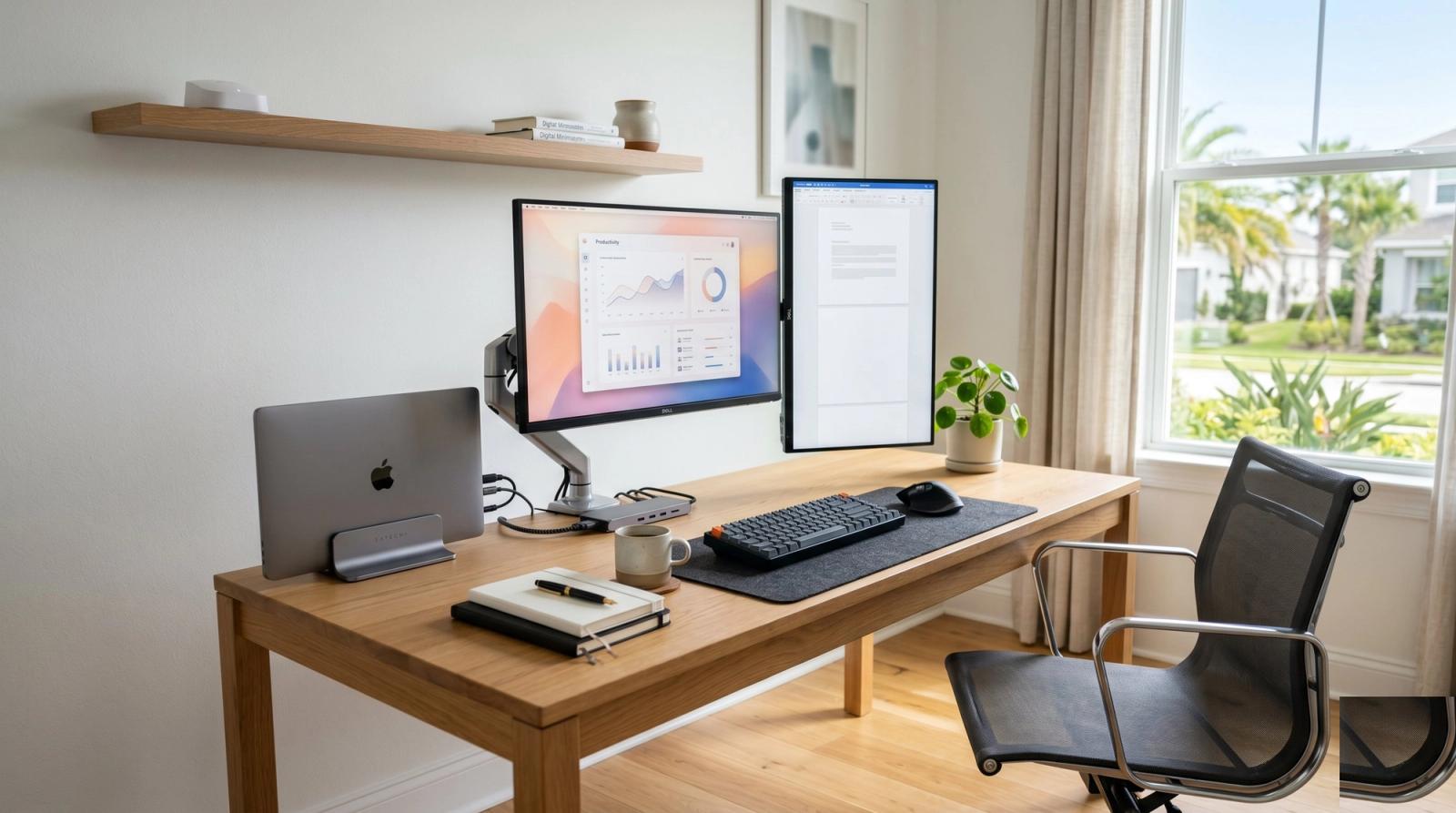
Lake Nona has more knowledge workers per capita than any neighborhood east of I-4. That tracks. The houses are five years old, the fiber is fast, and almost everyone we visit out there has at least two screens, a Zoom-ready microphone, and a chair that costs more than most laptops.
What they don't always have is a setup that actually survives a real workday. Wi-Fi that drops during a board meeting, a laptop that screams when Teams shares a screen, a desk that traps cables under three monitors. We see the same fixable problems on house calls all over Lake Nona, Laureate Park, and the Town Center. Here is the tech stack that actually holds up, ordered roughly by how much it matters.
The internet is the foundation
Lake Nona has gigabit fiber. Half the homes we visit are not using it. Spectrum or AT&T fiber comes into the house through a single ONT box, and the router that comes with it is usually mediocre. If your Wi-Fi drops in the back bedroom or stutters during a video call, the router is almost always the problem, not the internet plan.
Three upgrades worth making, in order:
- Replace the ISP-provided router with a real mesh system (eero Pro 6E, TP-Link Deco XE75, or Asus ZenWiFi). $250 to $450. Single biggest quality-of-life improvement most Lake Nona homes can make.
- Run an Ethernet drop to the office. Yes, it is 2026 and we still recommend a wire when you actually need the connection to work. We can do this without opening walls in most cases.
- Hardwire the streaming TV and any office printer. Frees up wireless bandwidth for the calls that actually matter.
Two screens, not one (and stop using your laptop as the second one)
Almost every productive Lake Nona setup we install runs at least one external monitor with the laptop closed in a stand. The default 13-inch or 14-inch laptop screen is fine for an hour. It is exhausting for eight.
Sweet spot in 2026:
- One 27-inch 4K monitor (Dell, LG, or BenQ) at $300 to $400
- Optional second 24-inch portrait monitor for code, email threads, or document review
- A monitor arm. Spend the $80. Your neck after a year of WFH will thank you.
- A USB-C dock with one cable to the laptop (CalDigit TS4 if budget allows around $200, or any UGREEN model for $80 to $100)
The computer itself
Most of the laptops we see in Lake Nona were not chosen for full-time work. They were chosen because the IT team at someone's last job shipped them home in 2020. There is nothing wrong with a five-year-old ThinkPad, but it should be honest about what it can and cannot do.
Three quick diagnostics any laptop should pass for daily work:
- Boots in under 30 seconds. If not, you need an SSD upgrade, which we cover at length in our SSD upgrade article.
- Has at least 16GB of RAM (32GB if you ever run Docker, video editing, or local AI).
- Does not sound like a hair dryer during video calls.
If yours doesn't pass two of those three, repair or upgrade is almost always cheaper than replace. A Dell XPS or M1 MacBook from 2020 with a new SSD and a fresh OS install will run a Lake Nona workday faster than a $700 new laptop will, and it costs about a third as much.
Backups, in a place nobody can ransom
We respond to data-loss calls all over Orlando every month. Lake Nona's professional class is, predictably, particularly bad about backups, because the work feels too important to lose but also too sensitive to back up to the wrong place.
Cleanest pattern we install:
- 1TB external SSD plugged into the laptop. Mac Time Machine or Windows File History does its thing automatically.
- Backblaze or iDrive for cloud backup ($70 to $100 per year, unlimited).
- Critical work files also synced to OneDrive or iCloud Drive (most people have this and don't realize it can serve as a third layer).
Three copies, two formats, one off-site. If anyone tells you their cloud sync is a backup, ask them what happens if a ransomware file syncs to the cloud. (Hint: it ransoms the cloud copy too.)
A few Lake Nona-specific things we fix every month
Same problems on repeat across the neighborhood:
- Builder-installed network closets that run way too hot. We re-house the equipment and add a quiet fan. Most network closets in Laureate Park homes need this within two years of move-in.
- Two-story house Wi-Fi blackspots in the upstairs office. Mesh fixes this 90 percent of the time.
- The home office printer that 'just stopped working' once a month. Almost always a driver or sleep-mode problem we can configure away in 20 minutes.
- Smart home gear that fights the work Wi-Fi (Lutron, Sonos, security cameras). Easy fix with a guest network or a separate IoT band.
When to call us
If your Lake Nona setup is fighting you more than helping you, that is what we do. Tech Forge offers mobile home-office setup, network upgrades, custom builds, and one-time tune-ups across Orlando, Lake Nona, Lake Mary, and surrounding areas. We can usually be at your door within the week, often the next day, and most setups take a single 90-minute visit.
Your home office tech should be the most boring part of your day. If it isn't, it's broken. Most fixes are cheaper than a single bad day on Zoom.