
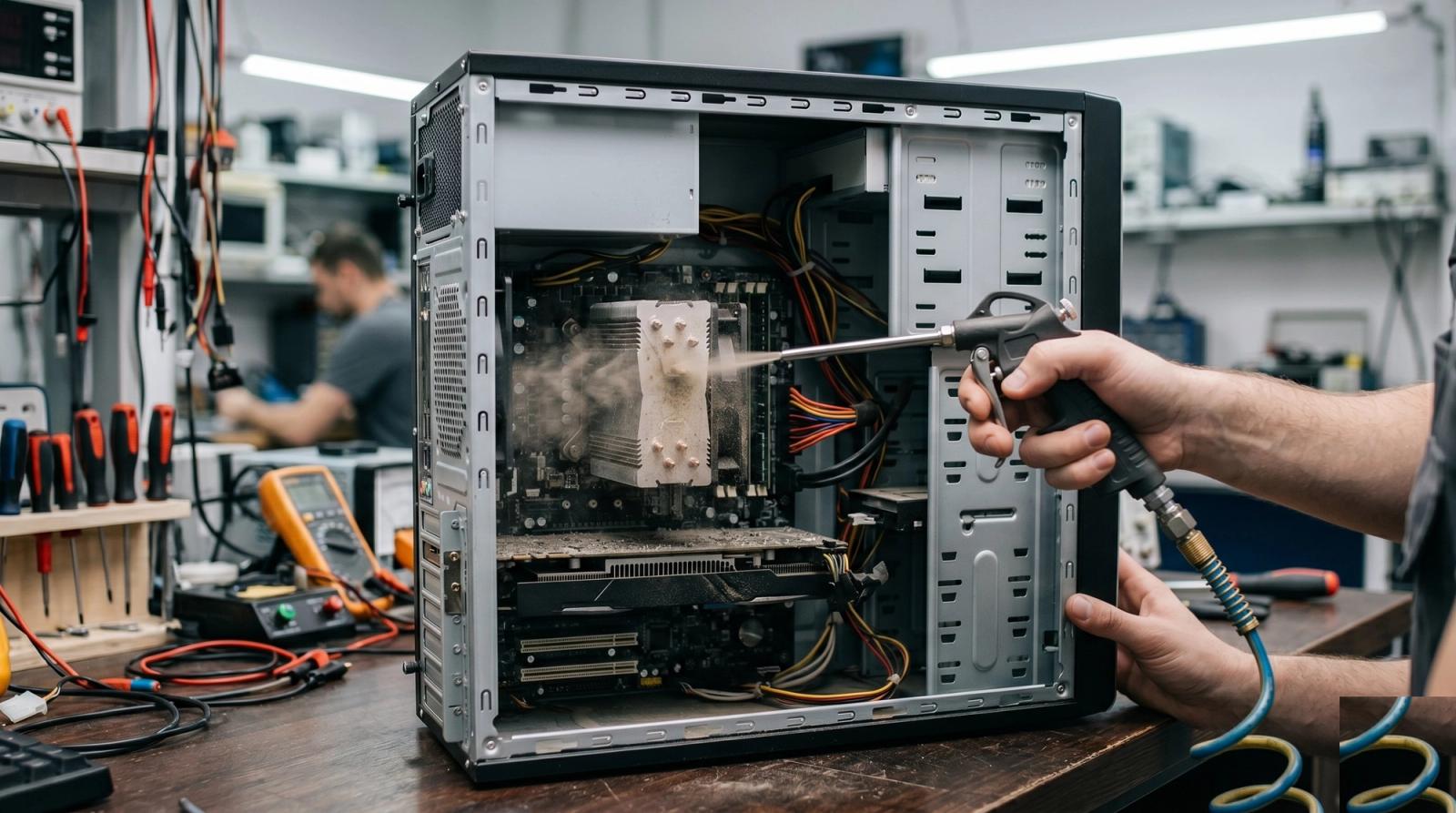
Pull the side panel off a desktop that has been living under a desk in Orlando for three years and you tend to find the same scene every time. A gray felt blanket across the CPU cooler. Fan blades caked solid at the tips. The owner almost never suspects dust. They tell us the machine got loud, or that it shuts off mid game, or that it just feels tired.
Central Florida is harder on computers than people expect. Our air conditioning runs close to year round, so your intake fans pull household air across your components for far more hours per year than a machine up north ever would. Stack humidity on that, plus spring pollen, lovebug season twice a year, and the fine sand that rides in on shoes from Winter Garden to Oviedo, and a tower fills up here on a schedule the manuals never accounted for.
Why Orlando Homes Fill a Tower Faster
It is not your housekeeping. It is the climate, and a few of these apply to almost every home in the metro.
- Air conditioning running ten or eleven months a year, so your case fans never get a season off.
- Humidity that turns loose dust into a sticky film rather than something that blows off clean.
- Pollen fine enough to pass straight through most case filters, especially February through May.
- Pets, the single biggest factor we see. Hair mats into heatsink fins and traps everything else.
- Carpet in older homes around College Park, Casselberry, and Altamonte Springs, shedding fiber into a floor mounted tower.
- Construction dust in newer neighborhoods like Lake Nona and Winter Garden, where something is always being framed nearby.
The Warning Signs We See on the Bench Every Week
Dust rarely announces itself. It shows up as symptoms that look like a dying computer, which is why people walk in expecting a repair quote instead of a cleaning.
- The fans spin up loud and stay loud, even with nothing open but a browser and email.
- The back panel is hot to the touch after twenty minutes of normal use.
- Games or video calls run fine for ten minutes, then stutter, then recover once the machine sits idle.
- The computer shuts itself off with no warning and no error message, almost always under load.
- A musty or faintly burnt smell in the first minute after you power it on.
What you are seeing there is thermal throttling. Chips protect themselves by slowing down when they get too hot, so a clogged cooler traps heat, the processor backs off its own speed to survive, and you experience that as a computer that got slow for no reason. Push further and the safety cutoff pulls the plug mid task.
How Often You Actually Need to Clean It Out
A tower on a desk in a tile floor condo lives a different life than one sitting on carpet next to two dogs. Find the line that sounds like your house.
- No pets, hard floors, tower up on the desk: once a year is plenty.
- No pets, carpet, tower on the floor: every eight months or so.
- One or two pets in the house: every six months, no exceptions.
- Multiple pets, or anyone smoking indoors: every three to four months.
- A gaming or editing build that runs hard most evenings: every six months regardless of the rest.
- A shop or office machine near a doorway, kitchen, or workshop: every three months.
If you cannot remember ever doing it, the answer is this weekend. Machines that go untouched for years reach us with seized fan bearings or thermal paste turned to chalk, and by then it is not a free fix.
What You Can Safely Do Yourself
A basic cleaning is within reach of anyone willing to remove two screws. The order matters more than the tools.
- Shut the machine down completely and unplug it from the wall. Sleep mode does not count.
- Carry it outside or into the garage. Blowing dust out indoors just relocates the problem to your desk.
- Take off the side panel. On most cases that is two thumbscrews at the back edge.
- Hold each fan still with a finger before you aim any air at it. This one step prevents most of the damage people cause.
- Use short bursts from about six inches away, working from the top of the case down.
- Rinse any removable dust filters and let them dry fully before they go back in. A damp filter in Florida is asking for trouble.
- Wipe the panels with a dry microfiber cloth. No household cleaners, no wet wipes, nothing with ammonia.
The Compressed Air Mistake That Costs People a Fan
Here is the part almost nobody knows. Let a case fan spin freely while you blast air through it and you are driving it far past its rated speed, and a spinning fan motor pushes voltage backward into the motherboard header. That is how a five minute cleaning turns into a dead fan header. Hold the blades.
Canned air has a second trap. Tilt the can and it sprays liquid propellant instead of gas, which hits the board freezing cold and then condenses moisture out of our humid air as it warms up. Keep it upright and rest it between passes. Better yet, buy a small electric blower for about the price of four cans. And skip the household vacuum hose, because that plastic nozzle builds a static charge that can kill a component instantly.
What a Shop Cleaning Covers That a Can of Air Does Not
A surface cleaning gets you most of the way. The rest takes disassembly, and that is where the temperature gains hide.
- Removing the CPU cooler, clearing the fin stack, and replacing thermal paste that has dried and cracked.
- Pulling the graphics card and opening the shroud, since packed dust between those fins never clears from outside.
- Inspecting the power supply, the dirtiest part in the case and the one you should never open yourself.
- Recording real temperatures under load before and after, so there is proof the cleaning did something.
- Swapping fans already whining, before they seize during the hottest week of August.
When Dust Is Not the Real Story
Sometimes we clean a machine top to bottom, run it under load, and the temperatures barely move. That is useful information, not a wasted trip. It means the heat comes from somewhere else: a failed cooler pump, a fan that stopped spinning months ago, a power supply on its way out, or malware pegging the processor.
If a thorough cleaning does not drop your load temperatures by at least a few degrees, dust was never the story. Something else is wrong, and cleaning it a second time will not find it.
If your tower has never been opened, it is worth twenty minutes of your Saturday. If it is already shutting off under load, or you would rather not put a hand inside it, bring it to us. We handle cleanings, thermal paste, and fan replacement across Winter Park, Lake Mary, Oviedo, and Windermere, and we will tell you straight if dust was not the culprit. Get in touch with Tech Forge and we will take a look before it becomes a parts problem.