
A Winter Park teacher brought in a laptop last month with a screen that looked like a spiderweb had grown across the bottom third of it. She had closed the lid on a pen. Two days later a UCF student walked in with the same story, except his was a charging cable left across the keyboard. That is how almost every cracked screen we see in Orlando happens, and it is why we replace more display panels than any other single laptop part.
The question we get right after the crack is always the same. Is this worth fixing, or should I just buy a new laptop? The answer comes down to three things: the age of the machine, the type of panel it takes, and whether anything else broke on the way down. Here is how we walk customers through it, whether they come from College Park, Oviedo, or all the way out from Winter Garden.
A Cracked Screen Is Not Always a Broken Panel
The glass you are looking at is only one layer. A modern laptop display stacks a backlight, an LCD or OLED panel, a digitizer if the screen is touch enabled, a bezel, and a ribbon cable that runs down through the hinge into the motherboard. Damage to any one of those produces a different symptom, and the symptom tells us what the repair is going to cost.
- Cracked outer glass with a normal picture underneath usually means the top layer took the hit and the panel survived.
- Spreading black blotches that look like spilled ink mean the LCD itself is bleeding and the whole panel has to go.
- Vertical or horizontal colored lines often point to a loose or pinched ribbon cable rather than a dead panel.
- A picture you can only see by shining a flashlight at the screen is a backlight problem, not cracked glass at all.
What Actually Cracks Screens in Central Florida
We keep informal notes on how these come through the door, and the causes are boringly consistent.
- Something small left on the keyboard, then the lid closed on it. Pens, earbuds, a USB drive, a charging brick. Number one cause by a wide margin.
- Picking the laptop up by the screen instead of the base, which twists the panel and stresses the hinge at the same time.
- Backpack compression. Students at UCF and Valencia College carry laptops in bags stuffed with textbooks, and steady pressure cracks thin panels with no drop involved.
- Hinge failure. When a hinge seizes or the plastic around it splits, opening the lid pries against the panel until it gives out. Common on machines past the four year mark.
- An actual drop, usually off a couch, a bed, or a kitchen counter.
Hinge failure deserves extra attention around here because Florida heat and humidity are hard on the plastics and adhesives inside a laptop lid. A machine that sits in a hot car in an Altamonte Springs parking lot and then comes into full air conditioning runs that cycle daily. Lids that get stiff are warning you before they crack anything.
Repair or Replace: The Math We Use
Screen pricing comes down to the panel, not the labor. Standard non touch panels for common consumer laptops are widely available and reasonable. Touch enabled screens, OLED, and 2 in 1 assemblies cost several times more, because the glass and digitizer are bonded to the panel and have to be replaced as one piece.
The rule of thumb we give people is simple. If the repair costs less than about a third of what a comparable replacement laptop would run, and the machine is otherwise healthy, fix it. If the laptop is already slow, out of storage, stuck on an unsupported version of Windows, or carrying a battery that will not hold a charge, that money belongs somewhere else.
- Under four years old, runs fine otherwise, standard panel: repair, almost every time.
- Five or more years old with a bonded touch assembly: price a replacement machine before you commit.
- Work laptop with a dock and no real need for touch: repair, and run it on an external monitor while you wait.
- Any sign of liquid damage alongside the crack: get it diagnosed before you spend a dollar on the screen.
What the Repair Looks Like on the Bench
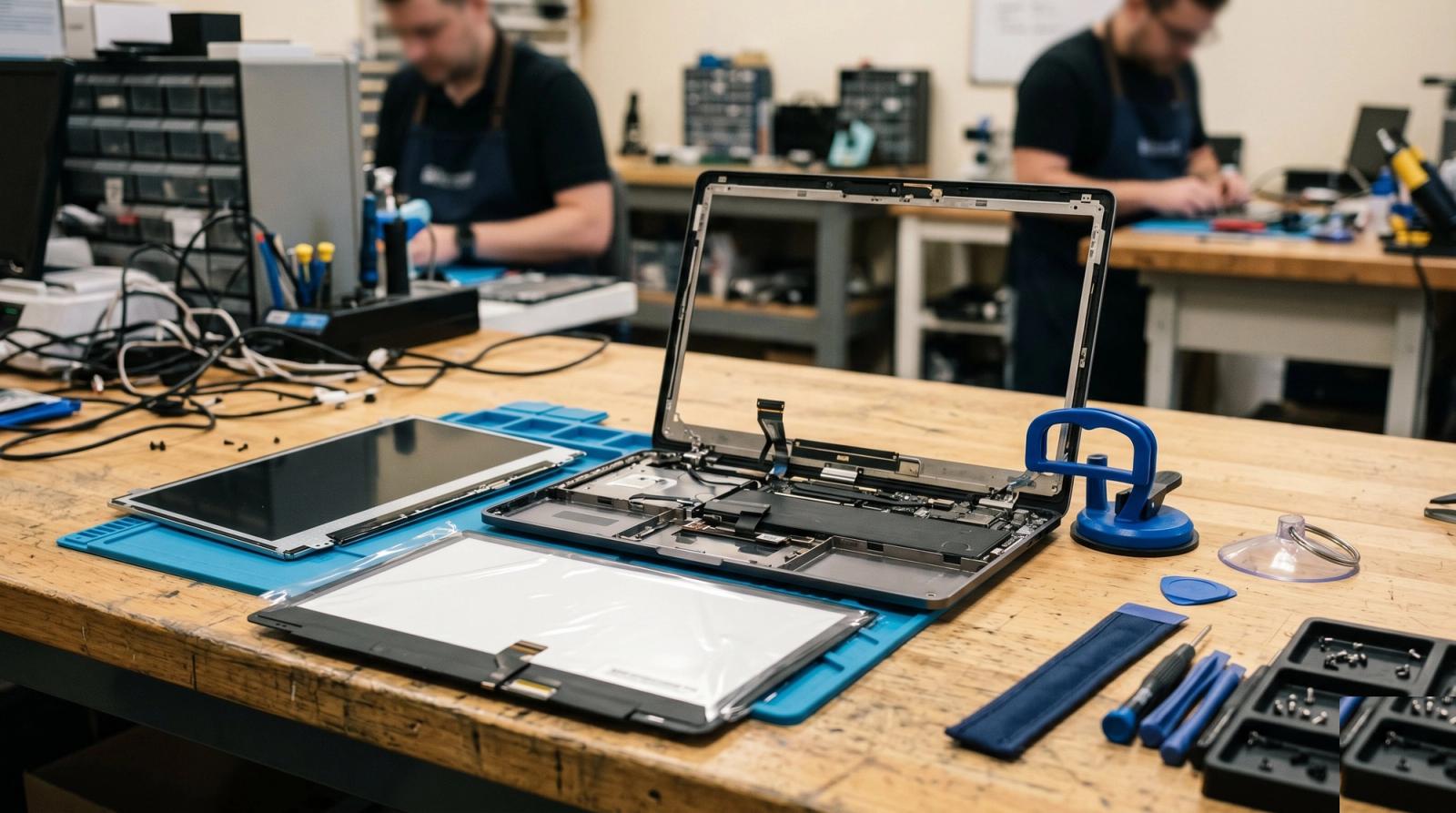
Customers are often surprised how mechanical the job is. We pull power and disconnect the battery, work the bezel loose with plastic pry tools and suction cups so nothing gets gouged, release the display ribbon, and lift the damaged panel out. The replacement drops in, the cable seats, and the machine gets tested before anything closes back up.
Testing matters more than the swap itself. We run the display through full white, full black, and solid color screens to catch dead pixels and pressure marks, check brightness across the full range, flex the hinge to confirm the cable is routed correctly, and verify the webcam and microphone came back online. Most replacements are same day or next day depending on stock.
Mistakes That Turn a Small Repair Into a Big One
- Using the laptop with a cracked screen for weeks. Glass fragments migrate into the hinge, and the damage spreads every time the lid closes.
- Taping over the crack. Adhesive residue and trapped shards make the eventual repair slower and messier.
- Ordering a panel online based only on the laptop model number. Manufacturers use several different panels inside the same model line, and the connector, resolution, and mounting brackets all have to match.
- Ignoring a stiff hinge. Fixing a hinge before it cracks a panel costs a fraction of doing both jobs together.
Protecting the Screen You Just Paid For
Once a new panel is in, a few habits keep it that way. Clear the keyboard before you close the lid, every single time. Carry the laptop from its base with the lid shut. Use a sleeve with real padding instead of dropping a bare laptop into a backpack next to a water bottle. Clean the screen with a dry microfiber cloth, not household glass cleaner, which strips antiglare coatings.
If the laptop lives on a desk most of the day, an external monitor is the best screen protection there is. Docking the machine and leaving the lid closed means the panel is barely used, and it makes a cramped display far more workable for anyone putting in a full day from a home office in Lake Mary or Maitland.
The cheapest screen repair is the one you never need. Nine out of ten cracked laptops that reach our bench were closed on something that should not have been there.
If you are staring at a cracked display right now, bring the laptop in or send us a photo and we will tell you honestly whether it is worth fixing. We diagnose first and quote before any work starts, so you are never guessing at the cost. You can see everything we handle on our services page, and we take care of customers across Orlando, Winter Park, Lake Mary, Oviedo, Apopka, Baldwin Park, and the rest of Central Florida.